Saved View
Saved Views help you personalize list views by saving your preferred filters, sorting, and columns. This allows you to quickly access frequently used lists and data configurations without setting them up each time. You can also consider them as reports.
What are Views?
A View is a combination of:
- Filters: Show records that match specific conditions.
- Sorting: Arrange the data in a particular order (ascending, descending, etc.)
- Columns: Choose which fields are visible in the list view.
Important Note: Saved Views are personal by default and only visible to the user who created them. We'll discuss making views public in the next page.
How to create a View
There are two ways to create a view:
1. Default View: You can add filters, sorting, and columns by clicking on +Add (as shown in the video below).
- Any changes you make to the default list view, such as applying filters, sorting, or adding/removing columns, are automatically saved.
- When you return to the list view, your personalized configuration will be retained.
2. Creating a Named View:
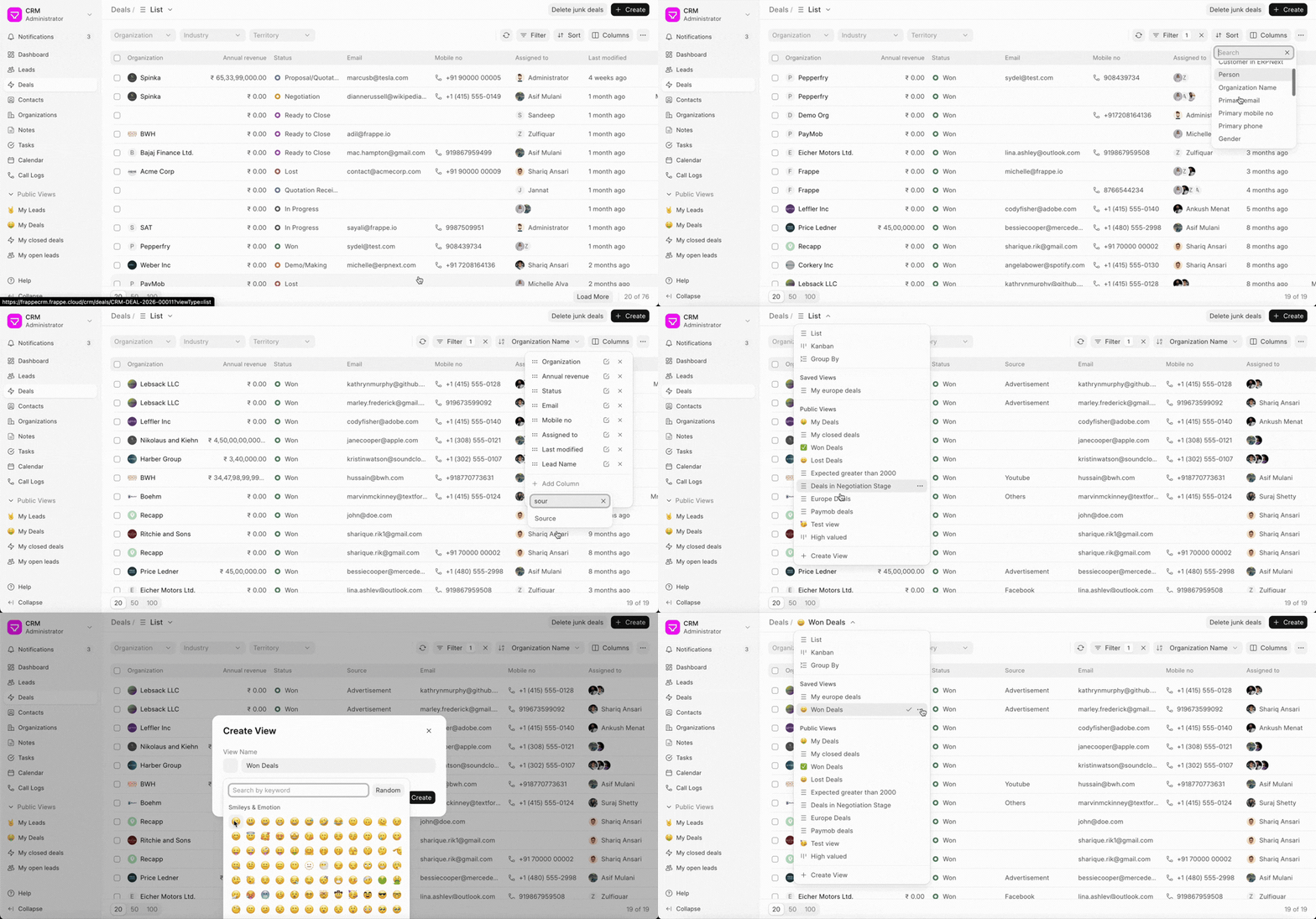
- Apply your desired filters, sorting, and column selections.
- Click the List view in the header, then click +Create View.
- Give your Saved View a descriptive name, then click Create.
Your newly created Saved View will be accessible from the list view dropdown menu.
Saved View Actions
The three-dot menu (...) on a Saved View provides additional actions:
- Duplicate: Make a copy of the saved view.
- Edit: Modify the name and set a custom icon for your saved view.
- Pin View (covered on next page): Pin the saved view in the sidebar.
- Make Public (covered on next page): Share your saved view with other users. It will be accessible to all users.
- Delete: Remove the Saved View from the list.