Twilio
Twilio is a cloud communications platform that allows businesses to integrate voice, video, messaging, and authentication functionalities into their applications. This integration enables you to make calls directly from various pages within the CRM.
Make call
- Lead page: A call button is available in the right section above lead details. Use this button to initiate a call, but ensure the Mobile No field in the Person section includes the country code.

- Deal page: In the Contacts section on the right side. You can add multiple contacts and designate a primary contact. The call button will utilize the primary contact's number.

- Contact page: Directly initiate a call by clicking the Mobile No displayed below the contact's name.

Call pop-up
Upon making or receiving a call, a pop-up window appears displaying:
- Caller name
- Mobile number
- Call status
- Call duration
- Mute button
- Note button
- Action buttons (Accept, Reject, Cancel Call)

This window can be minimized, allowing navigation to other screens, while remaining accessible in the far-right corner of the navbar.
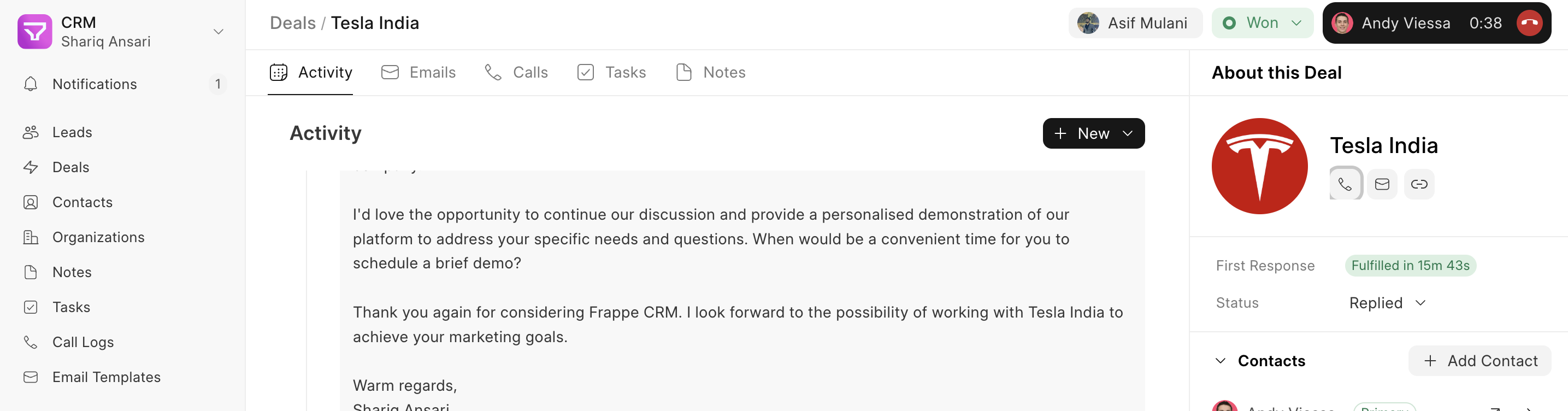
Take notes during a call
While on a call, you can take notes using the note button. These notes are saved in the Call Log for later viewing and editing.

Twilio setup
To configure Twilio for use within the CRM, follow these steps:
- Twilio Subscription: Obtain an active Twilio subscription (refer to Twilio's documentation for details).
- Twilio Credentials: From your Twilio account, retrieve your Account SID, Auth Token, and Twilio Mobile Number.
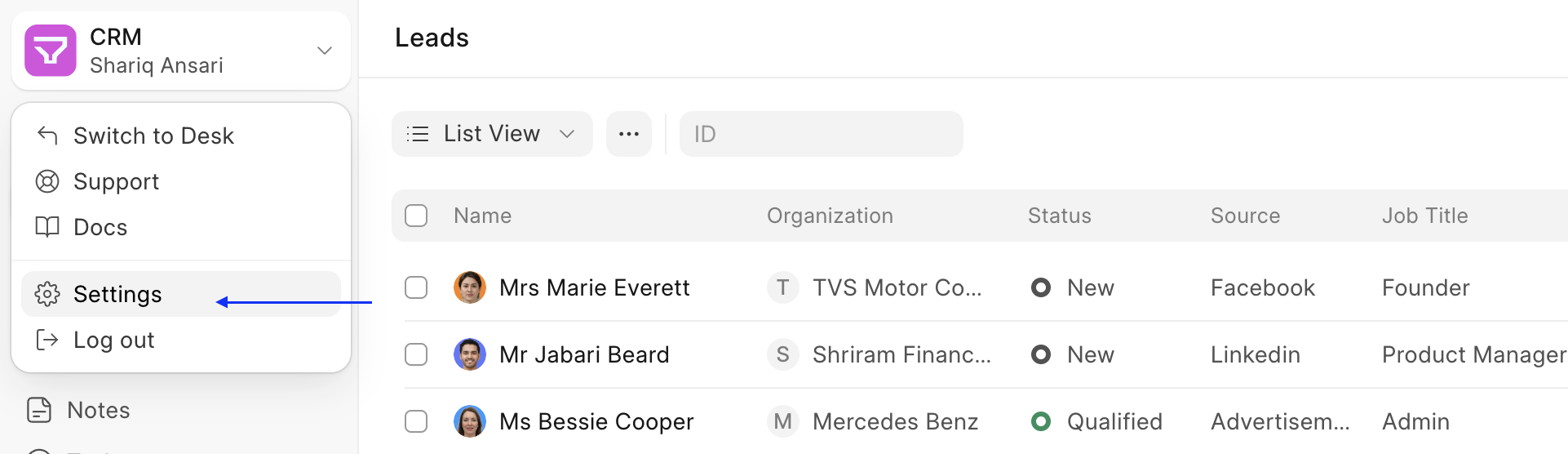
- Settings: Click the dropdown menu on the top left logo and select "Settings."
- Telephony Settings: Navigate to Telephony Settings, enable Twilio and add your Account SID and Auth Token. You can also enable call recording at this point.

- Telephony Agent: Go to Telephony Agent (In Desk) and add users (agents) with Twilio mobile numbers designated for making calls.
Make sure the Twilio number added does not contain spaces and special characters (it can still have + at the start)

Twilio API configuration
For your CRM's API to connect with Twilio, perform the following configurations within Twilio:
- Incoming Call API URL: Under Phone Numbers > Manage > Active Numbers, select your mobile number. Locate the Voice Configuration form and within the "A call comes in" section, add the following URL to the URL field:
"https://<yoursitename>/api/method/crm.integrations.twilio.api.twilio_incoming_call_handler" This URL is responsible for handling incoming calls.
 - Outgoing Call API URL: Navigate to Phone Numbers > Manage > TwiML apps and select your app. In the Voice Configuration > Request URL field, enter the following URL:
"https://<yoursitename>/api/method/crm.integrations.twilio.api.voice" This URL is used for making outbound calls.
:::note Please refer to Twilio's official guide for any additional Twilio configuration requirements. :::