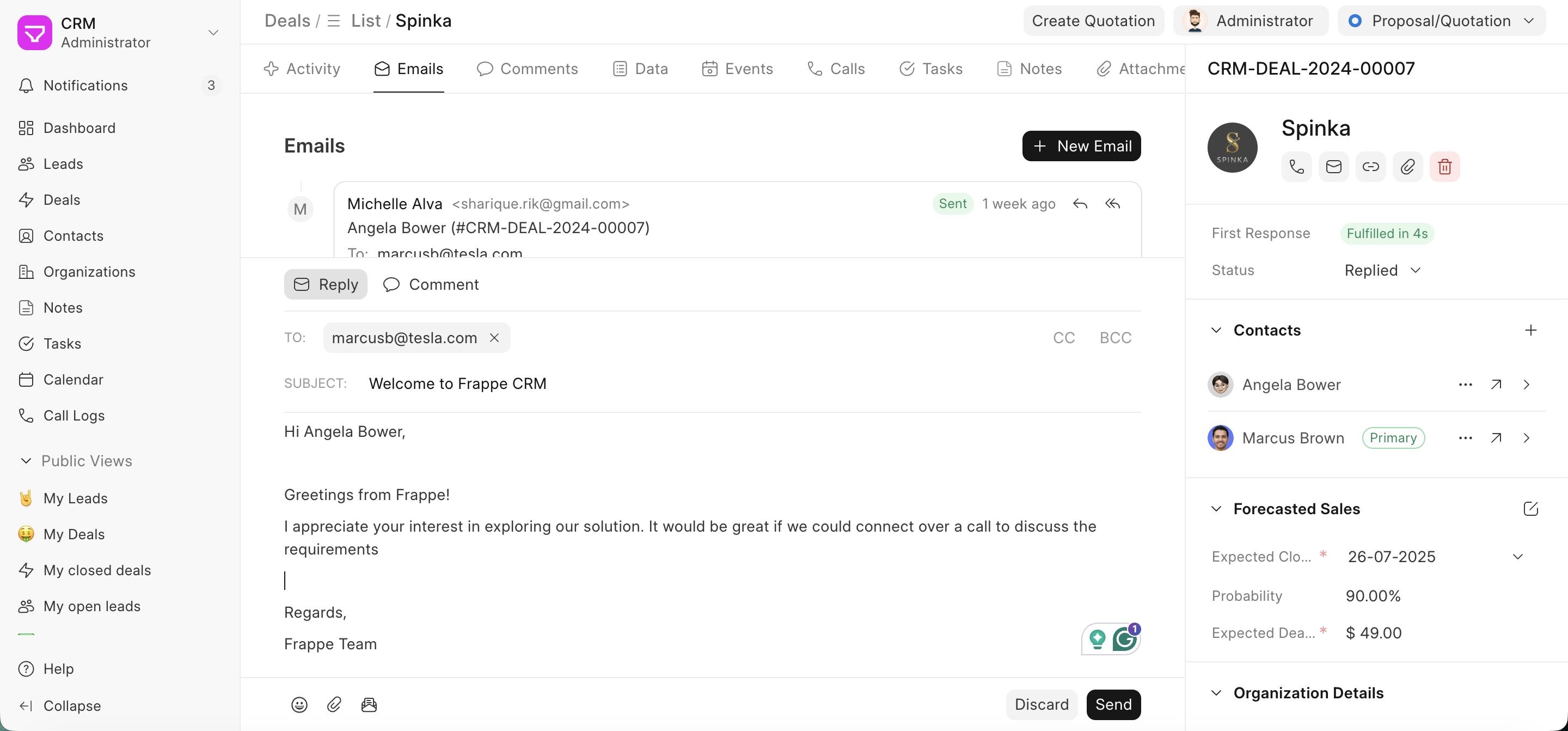
Email Template
Email Templates is a time-saving tool that lets you create reusable email drafts (such as introductions, follow-ups, or proposals) you frequently send to your leads and deals. With the ability to utilize Jinja templates, you can personalize emails to cater to specific recipients or contexts.
Create a new Email Template
To create a new email template, go to Settings > Templates. Click on Create, and add the:
- Name: A label to identify the template in your list
- Subject: The email subject line (Jinja variables supported)
- For: Whether it is for a lead or a deal
- Content Type: You can select how you want to format the template. There are two options: Rich Text and HTML
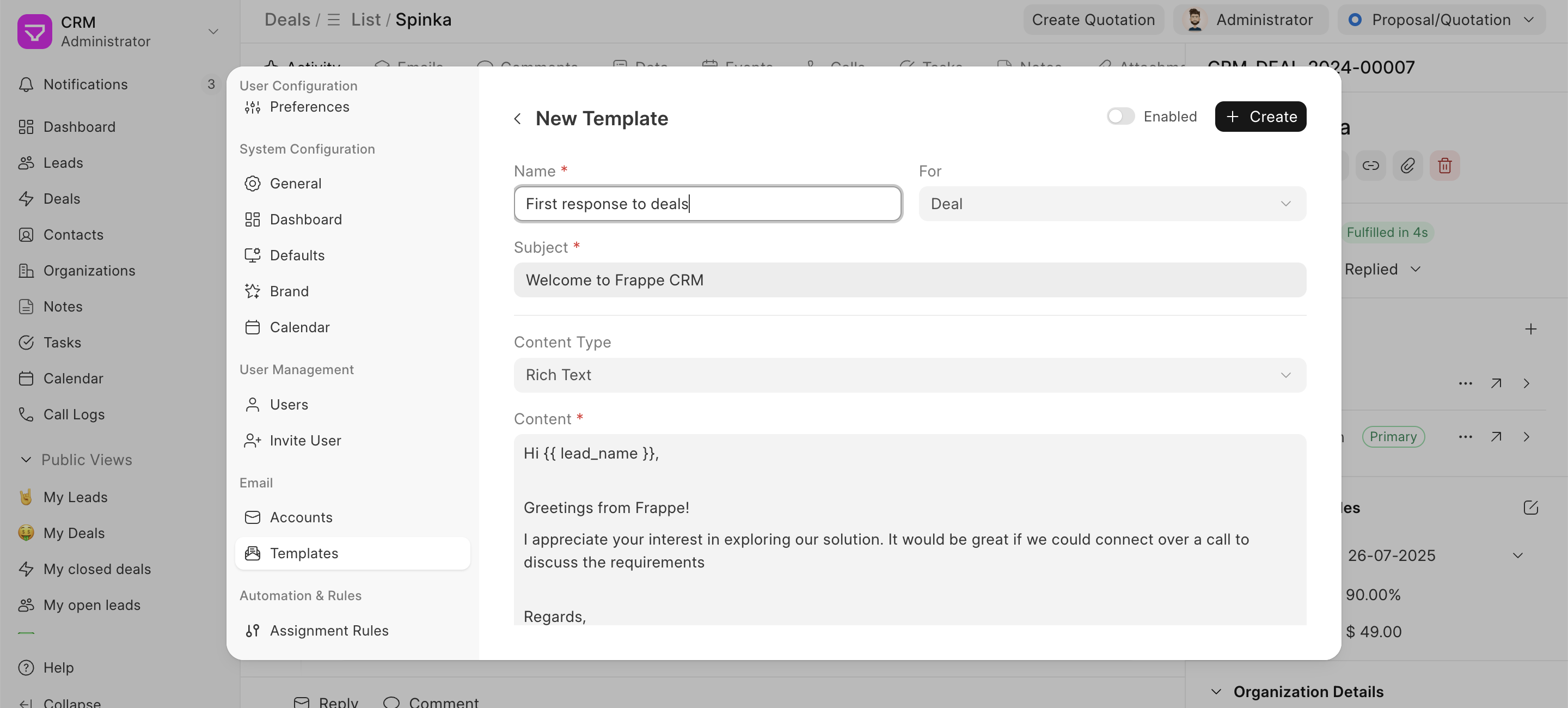
Only "Enabled" Email Templates will be visible for further use. There is a toggle option against every template.
Using the Email Template
You can use the Email Templates you have created in Lead and/or Deal while composing your emails by clicking on the Email Template button. When you click on Reply to compose an email, the email template button appears.
For example, as seen in the screenshot, the email template "First response to deals" is selected.
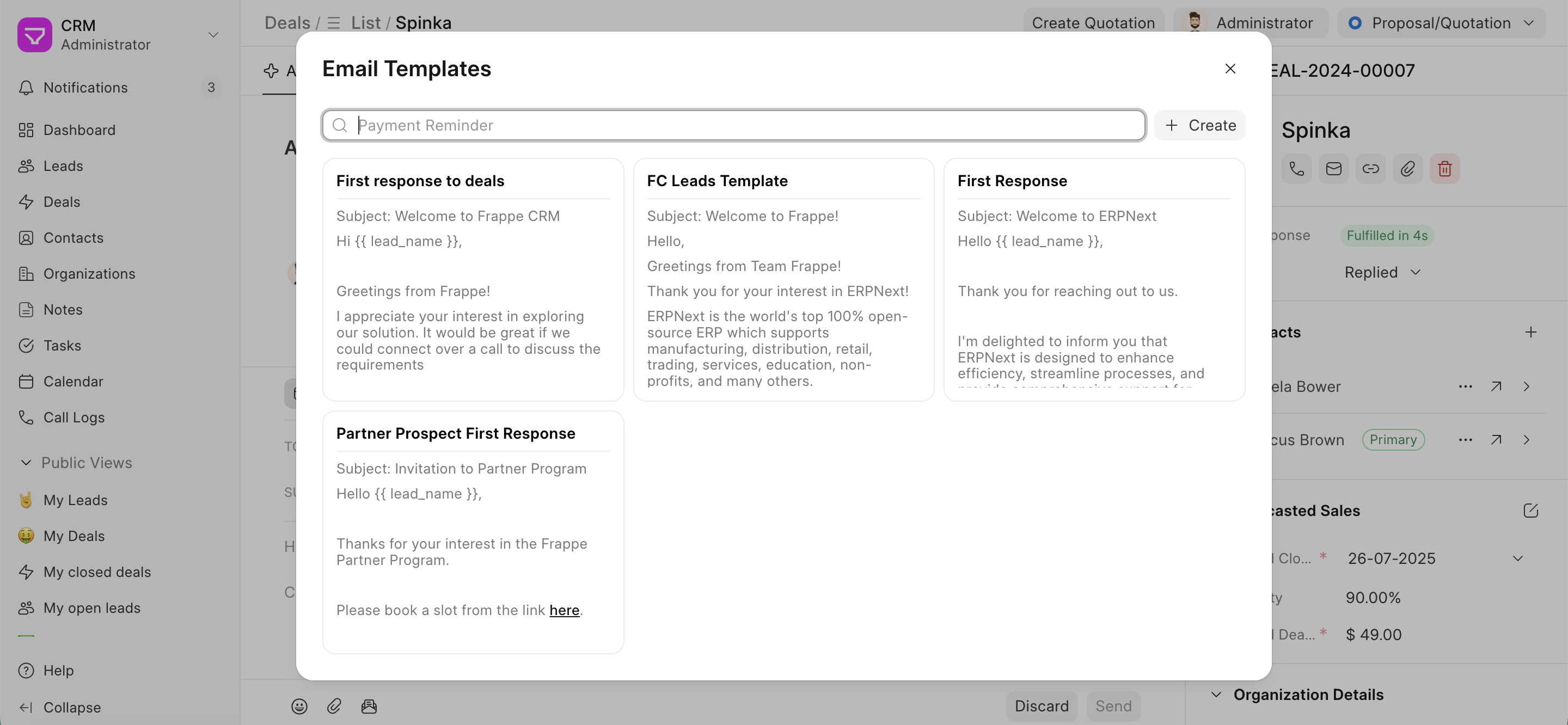
The email content is then copied, and you are free to edit the content as well to personalize it further.