ERPNext
Entropy CRM, while a standalone application, offers seamless integration with ERPNext to streamline your business processes. This integration allows you to create quotations and customers directly from deals within Entropy CRM, enhancing efficiency and reducing manual data entry.
ERPNext Setup
Both Entropy CRM and ERPNext are installed on the same site
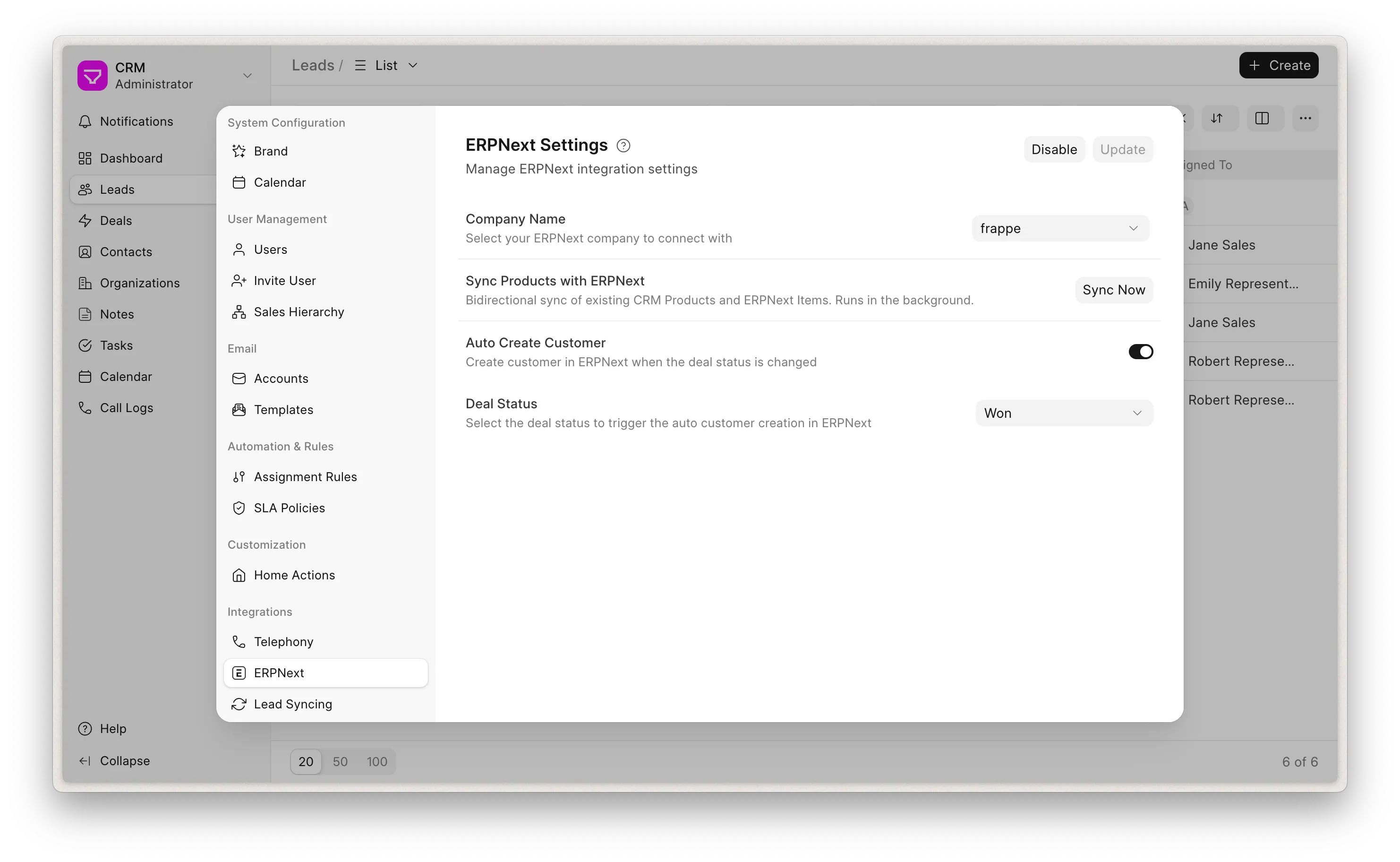
- Navigate to Settings -> ERPNext -> Enable -> Set Company.
- Create Customer when status change -> Set Deal Status (Optional)
What gets synced
Once the integration is enabled, data flows between Entropy CRM and ERPNext as described below. Most syncing runs only when both apps are on the same site; differences for separate-site setups are called out where they apply.
Customers
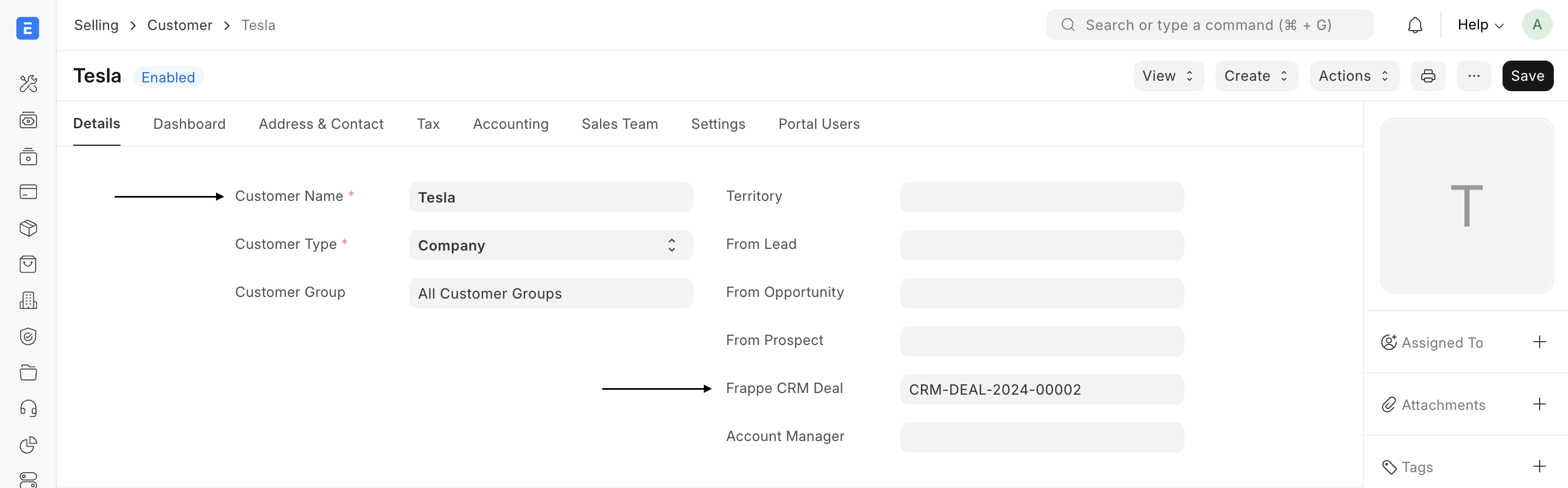
- The Customer is named after the Deal's organization (Customer Type Company) or after the primary contact / lead name when there is no organization (Customer Type Individual).
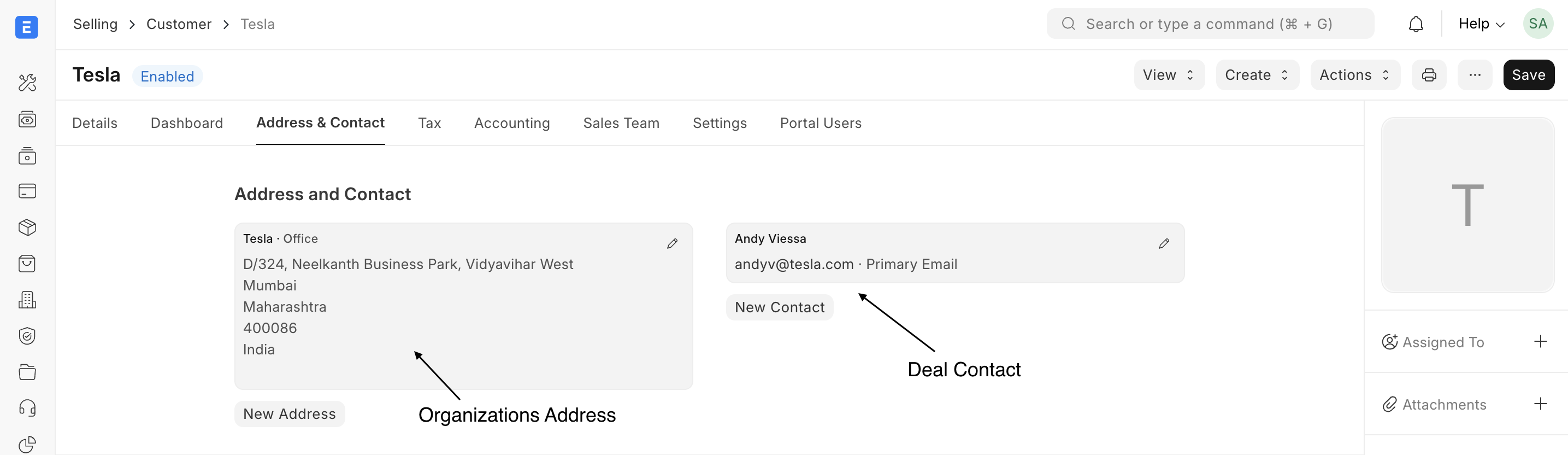
- The Deal's contacts and organization address are carried over to the new Customer.
- Territory, currency, industry and website are copied from the Deal. Territory and industry are dropped automatically if they don't exist in ERPNext.
Two Ways:
- Upon marking a Deal as "Won" (or a specified status, configurable in ERPNext settings), a new customer will be created in your ERPNext instance. The Deal's contacts and organization address will be automatically linked to this newly created customer.
- When a Sales Order is create in ERPNext from a Deal's Quotation. he Create Quotation button on a Deal opens a new Quotation in ERPNext with the Deal's data pre-filled:
- The quotation is raised against the Customer if one already exists otherwise against the CRM Deal itself. (ERPNext's Quotation To field is extended to allow Customer, Lead, Prospect and CRM Deal.)
- The Deal's primary contact and organization address are attached.
- Quotation line items are pre-filled from the Deal's products ie item code, quantity, rate and discount for every Deal product that is linked to an ERPNext Item.
The typical Deal to Sales Order flow looks like:
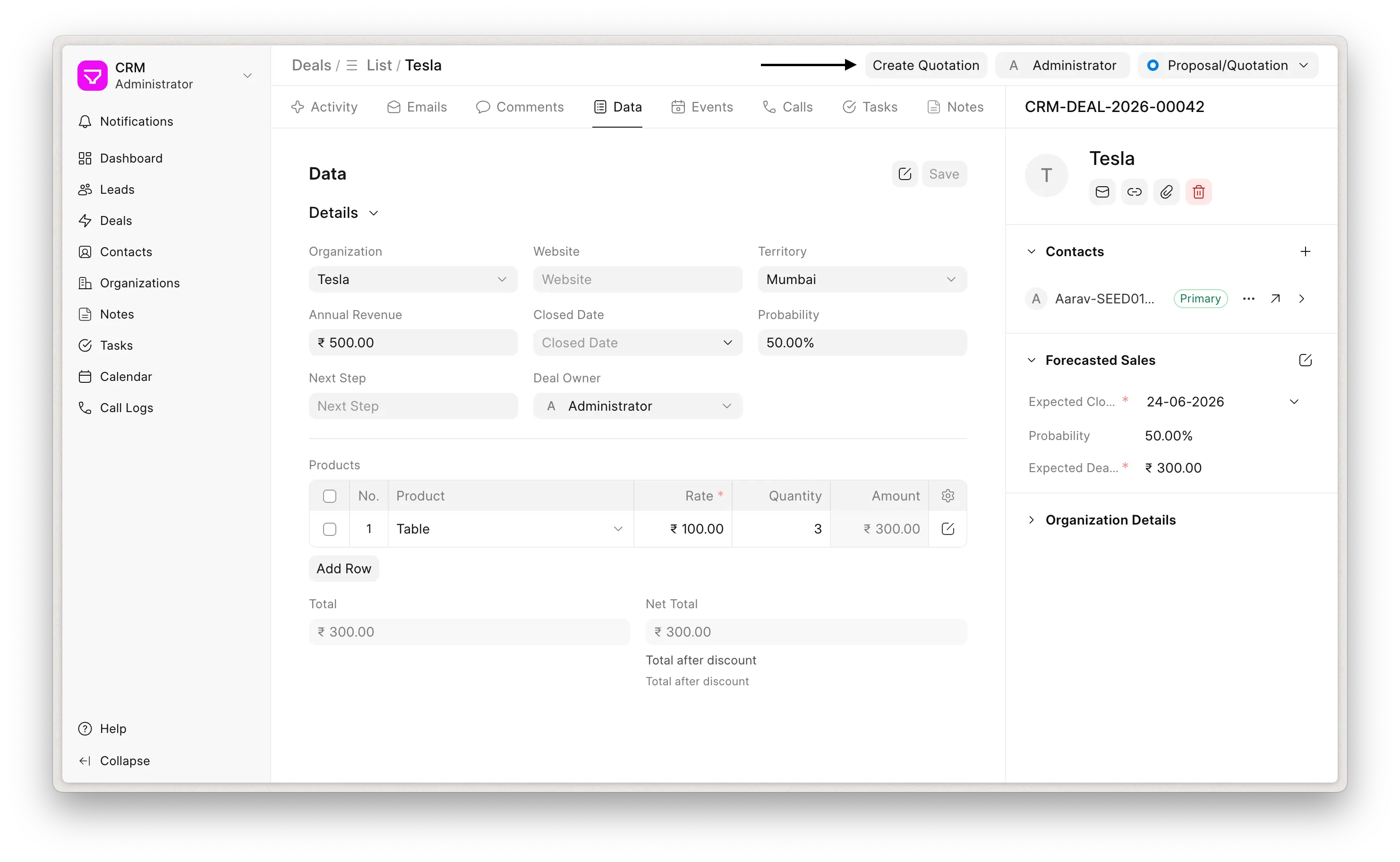 Create Quotation
Quotation line items are pre-filled from the deal's products
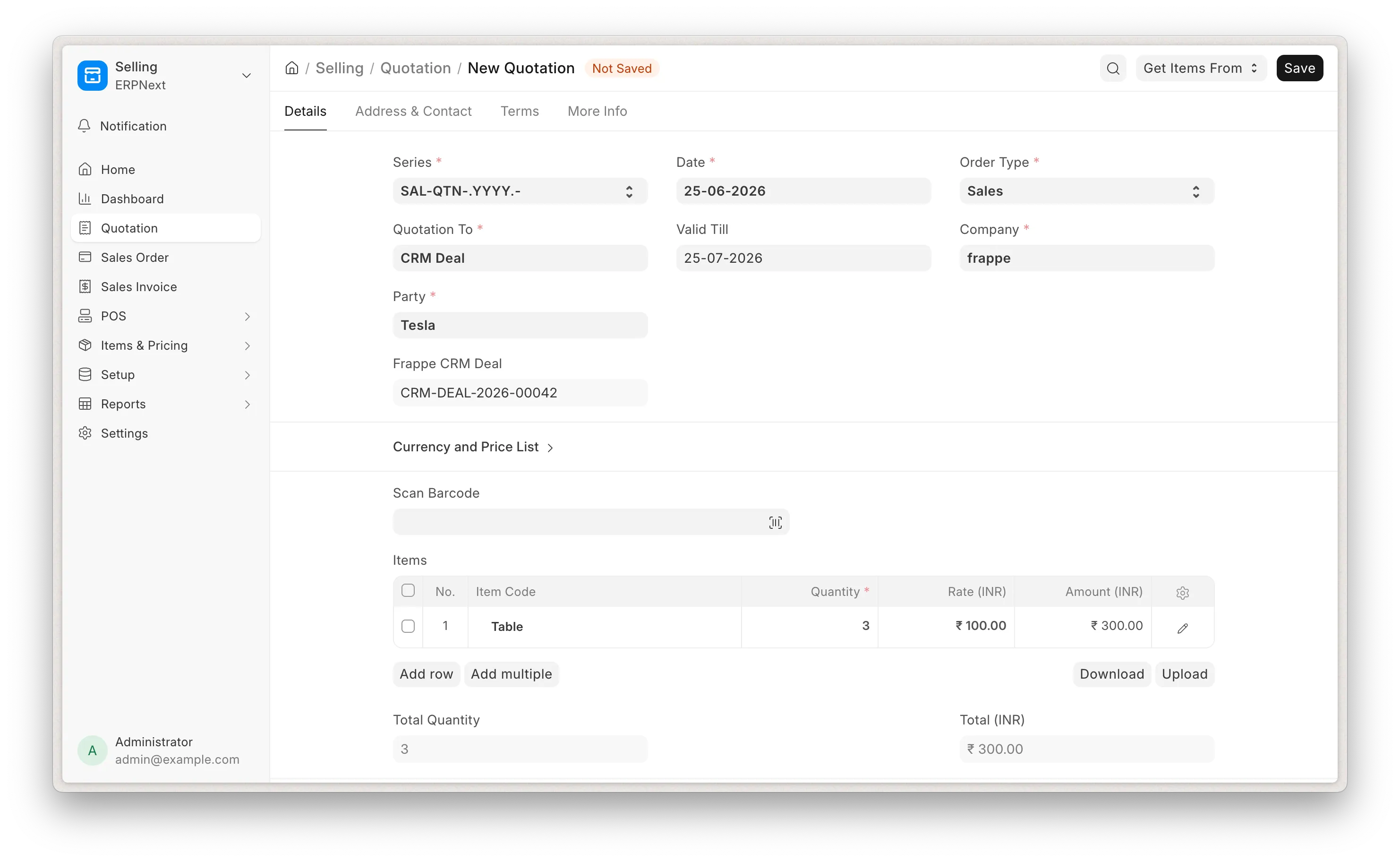 New Quotation
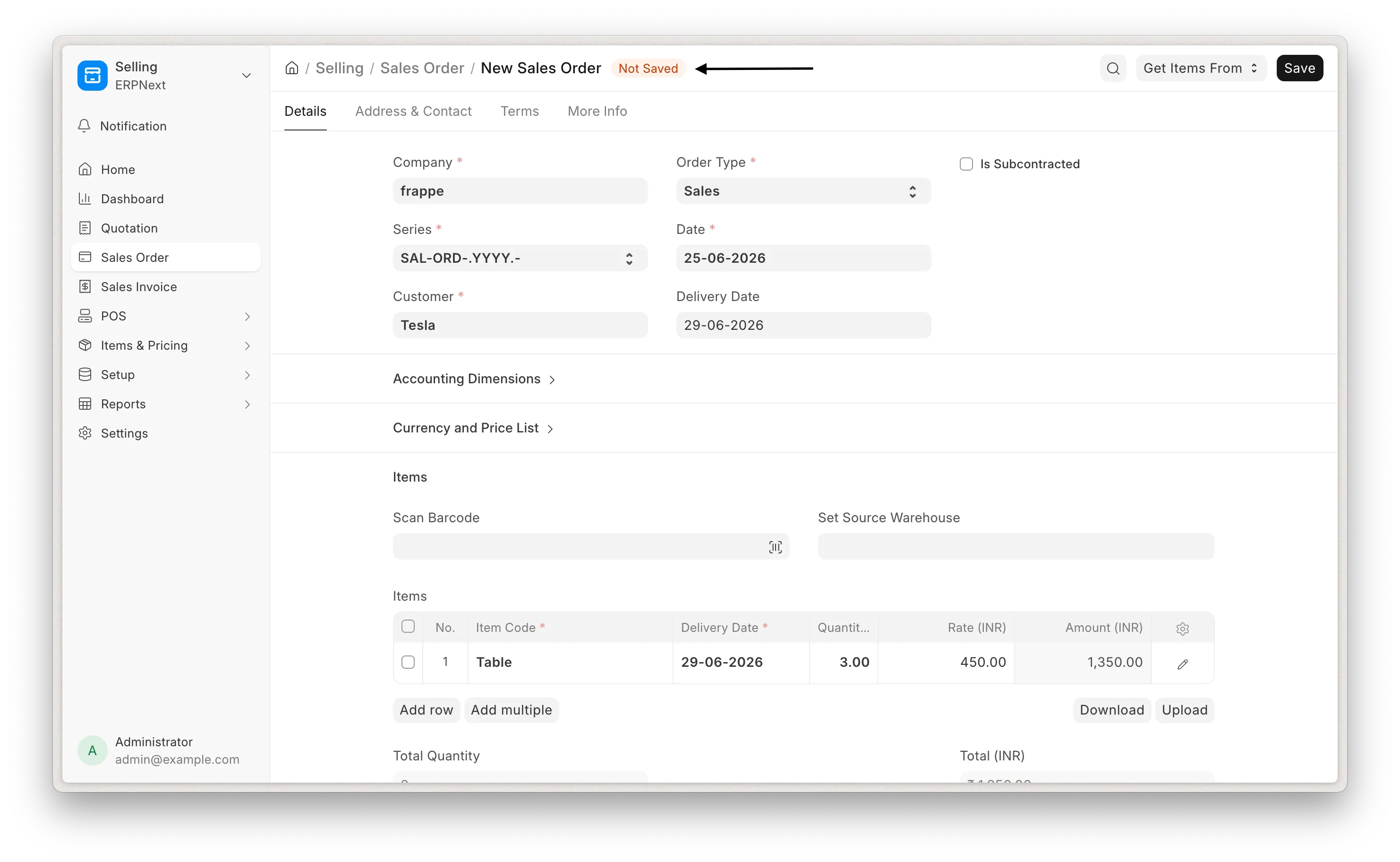
Once the customer is created, you'll find a "View Customer" button on the deal header, allowing you to easily access the customer from deal page.

CRM Product and ERPNext Item
ERPNext Items and CRM Products are kept in sync with ERPNext as the source of truth. This sync runs on the same site only.
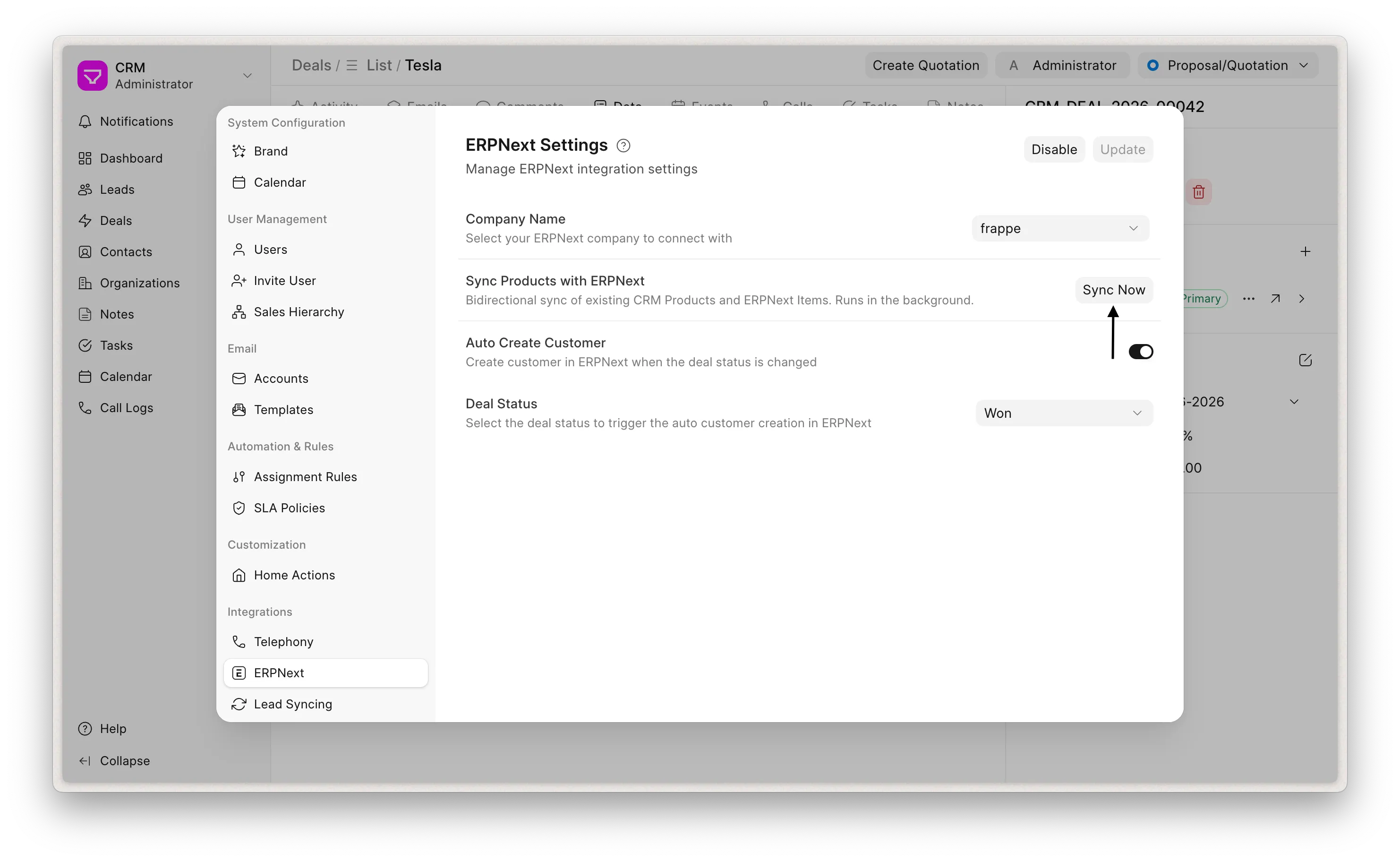
- Creating an Item in ERPNext automatically creates a matching CRM Product and links the two records.
- Updating an Item auto updates its CRM Product. The synced fields are: item name, rate, image, disabled status and description.
- Renaming an Item renames its CRM Product (and vice-versa) keeping both sides aligned.
- Deleting an Item deletes its linked CRM Product and deleting a CRM Product deletes its linked Item.
Pricing
Product rates shown in the CRM follow ERPNext's pricing rather than a static value:
- A CRM Product's rate is taken from its ERPNext Item Price in the selling price list falling back to the Item's standard rate when no Item Price exists.
- On a Deal, each product line is priced the way ERPNext prices a quotation line: the price list is derived from the Deal's customer (or the default selling price list when there is none), and the rate is looked up for the item's UOM. If no Item Price is found, the CRM Product's standard rate is used as a fallback.
This means a customer specific price list configured in ERPNext surfaces its negotiated rates directly on the Deal.
Customizations
The Create Quotation and View Customer buttons on the Deal page are rendered by a standard CRM Form Script named Create Quotation from CRM Deal. It is created automatically when you enable the integration and is bound to the CRM Deal form view.
How the script works
On load, the script checks whether the integration is enabled and if so, it adds the actions to the Deal header:
- Create Quotation calls the backend to build the pre-filled quotation URL and opens it n a new tab.
- View Customer shown only when the Deal already has a linked ERPNext Customer. opens the Customer record in a new tab.
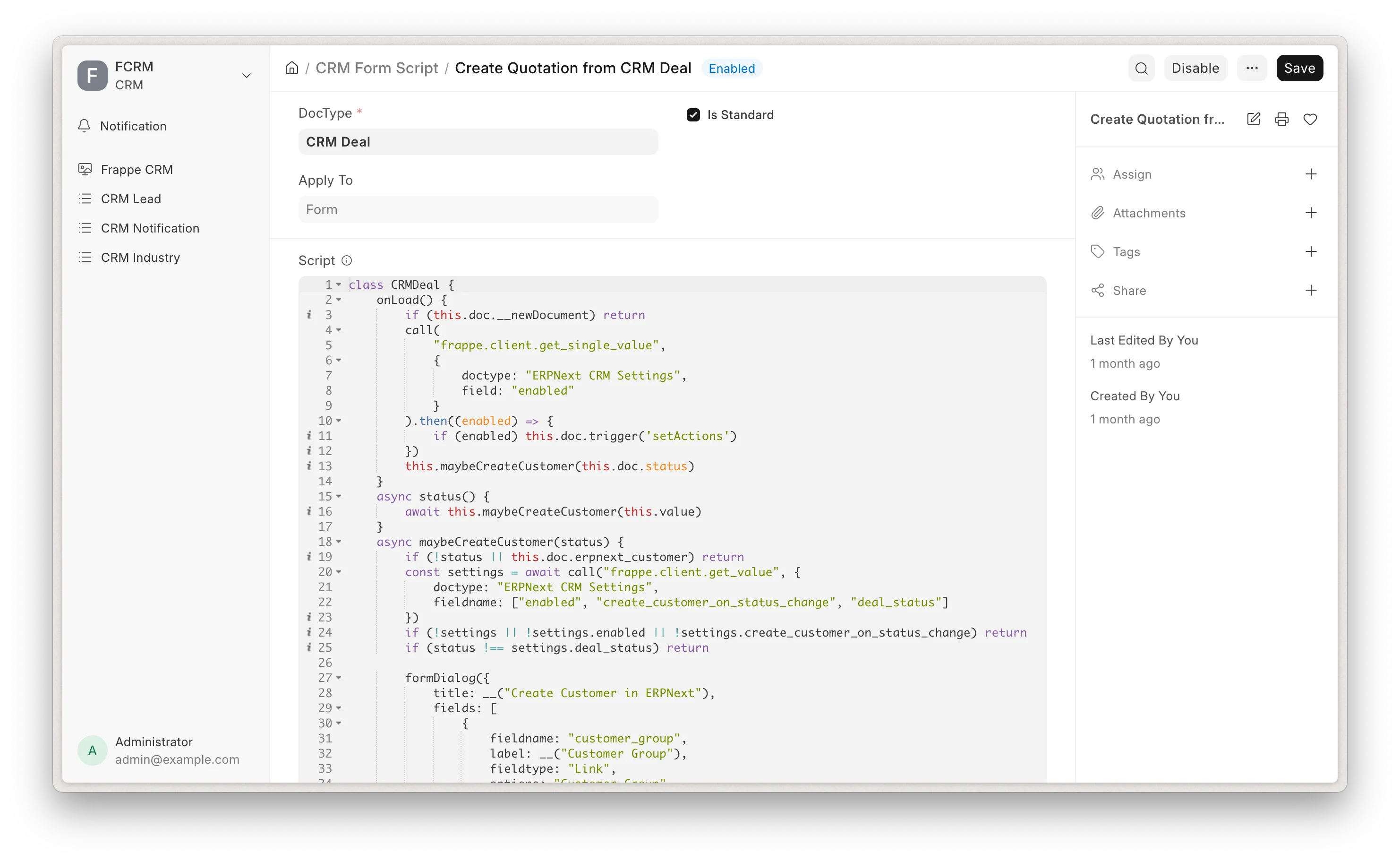 Form Script
Editing the script
Because it is a standard script, Create Quotation from CRM Deal is read-only and cannot be edited in place. This protects it from being overwritten.
To customize the behavior:
- Go to Desk → CRM Form Script.
- Disable the Create Quotation from CRM Deal script.
- Duplicate it (or create a new script on the CRM Deal form view) and make your changes there. for example: changing the conditions under which the buttons appear. Add new actions or adjust labels.
- Enable your copy.
Your custom script then renders the buttons in place of the standard one.
Example Script:
class CRMDeal {
        onLoad() {
                if (this.doc.__newDocument) return
                call(
                        "frappe.client.get_single_value",
                        {
                                doctype: "ERPNext CRM Settings",
                                field: "enabled"
                        }
                ).then((enabled) => {
                        if (enabled) this.doc.trigger('setActions')
                })
        }
        setActions() {
                // Only offer quotation creation for qualified-or-later deals
                const allowed = ["Qualification", "Proposal/Quotation", "Negotiation"]
                if (allowed.includes(this.doc.status)) {
                        this.actions.push({
                                label: __("Create Quotation"),
                                onClick: () => {
                                        call(
                                                "crm.fcrm.doctype.erpnext_crm_settings.erpnext"
                                                {
                                                        crm_deal: this.doc.name,
                                                        organization: this.doc.organization
                                                }
                                        ).then((quotation_url) => {
                                                if (quotation_url) {
                                                        window.open(quotation_url, '_blank')
                                                } else {
                                                        toast.error("Error while creating quotation")
                                                }
                                        }).catch((e) => {
                                                toast.error(e.messages[0] || "Error while creating")
                                        });
                                }
                        })
                }
     // A custom action unrelated to the integration
            this.actions.push({
                    label: __("Copy Deal Link"),
                    onClick: () => {
                            navigator.clipboard.writeText(window.location.href);
                            toast.success(__("Deal link copied"));
                    }
            })
    }
}