Service Level Agreement
An SLA (Service Level Agreement) is a formal agreement outlining the level of service a provider commits to deliver and the expectations a customer has for that service. In Entropy CRM, SLAs establish response time benchmarks for communication related to Leads and Deals.
Prerequisites
Before creating an SLA, ensure you have a Holiday List configured. This list is linked to the SLA to exclude holidays from response time calculations. You can create one under Settings > Holiday List.
Creating an SLA
- Go to Settings > SLA Policies and click on +New
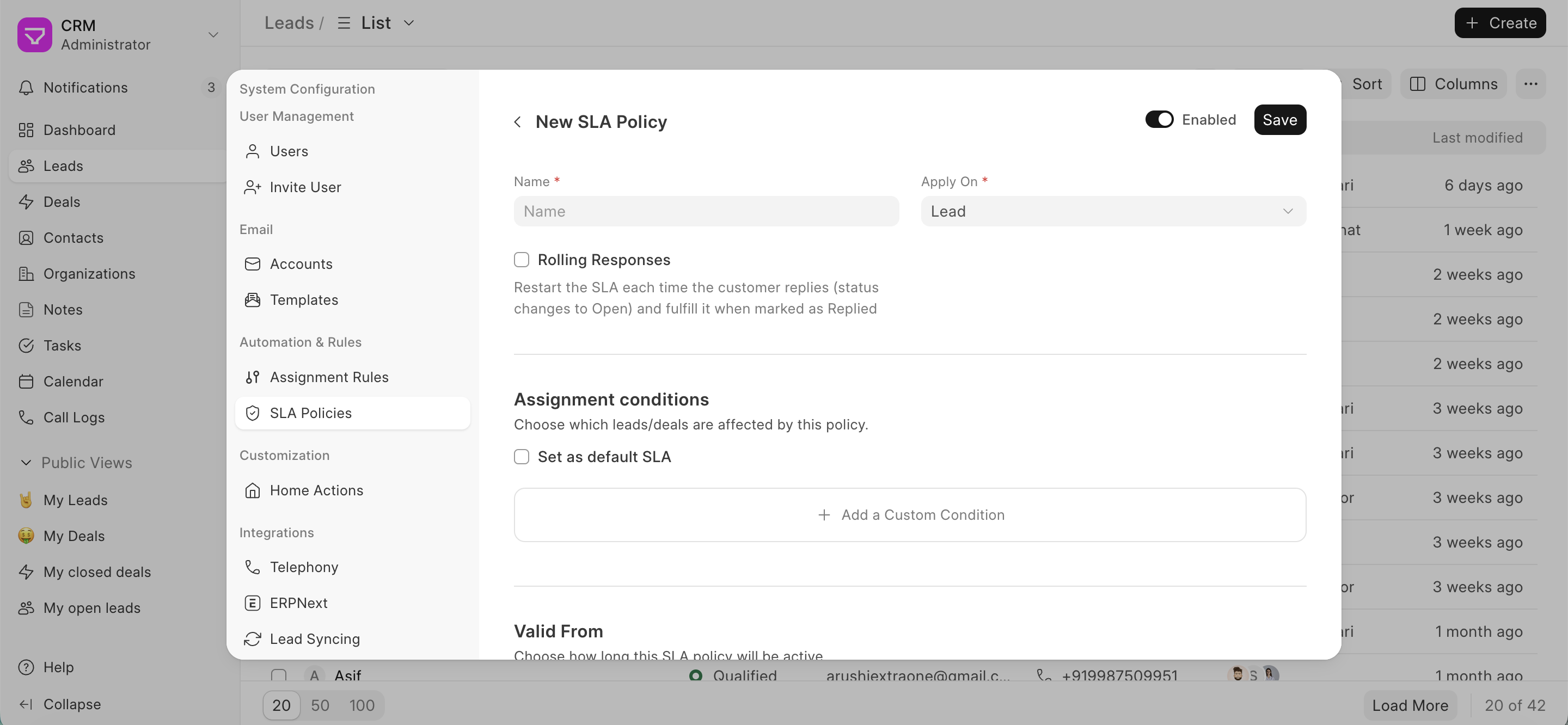
- Define SLA details: Fill in the following information:
- Name: A label to identify the policy
- Apply on: Whether it is for a lead or a deal
- Rolling Response: If you want to set an SLA for subsequent responses
- Assignment Conditions:
- Set as Default SLA: Enable if you want this to be fetched as the default SLA
- Add custom conditions: You can specify which conditions this SLA applies to. For example, you want to set an SLA for leads coming in from Europe. Add the field, the condition, and the value)
lid From: Set the date range during which the SLA will be active
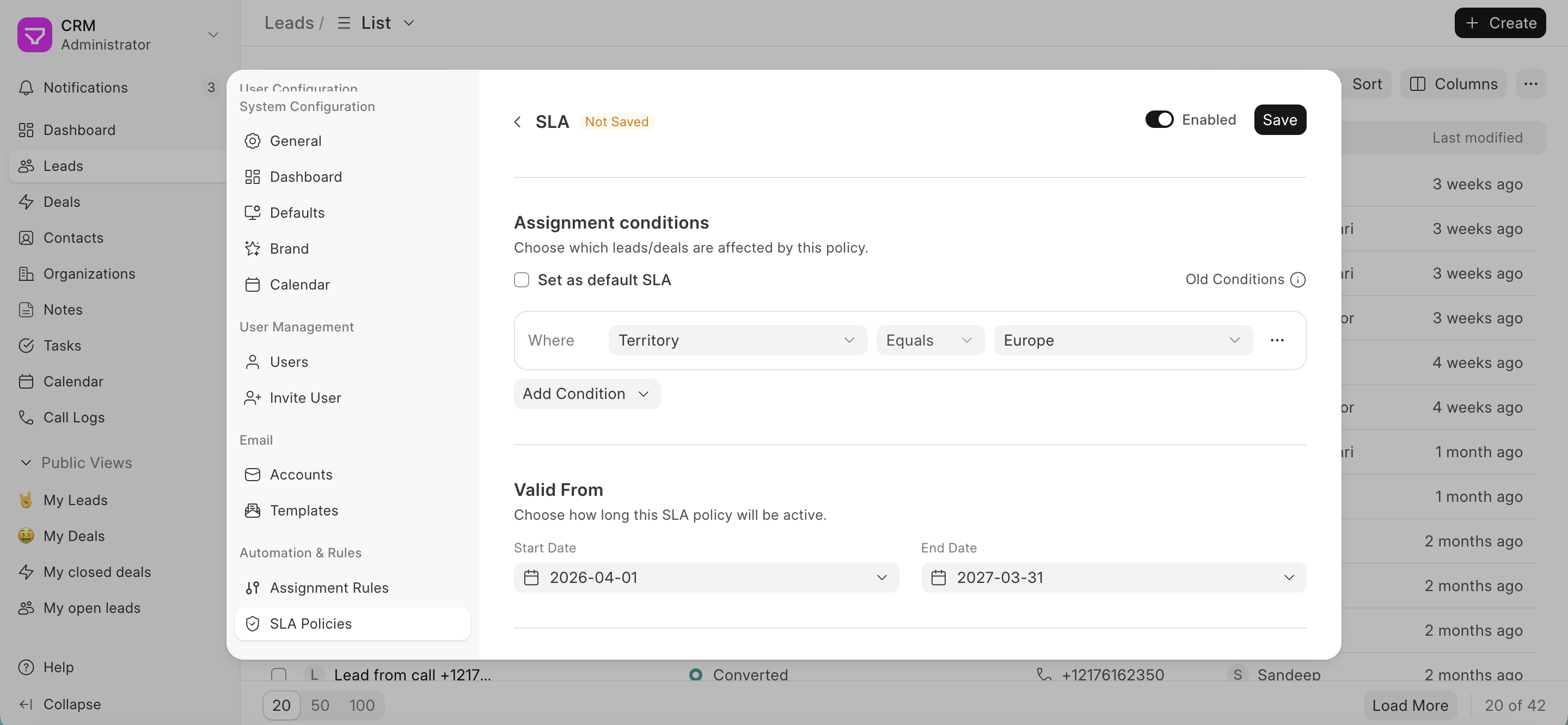
- Response & Follow up: To set the response time duration
- Work Schedule & Holidays: Set working hours for each day. Only communications received during these hours will count toward response time calculations. Link your Holiday List here to automatically exclude public holidays.
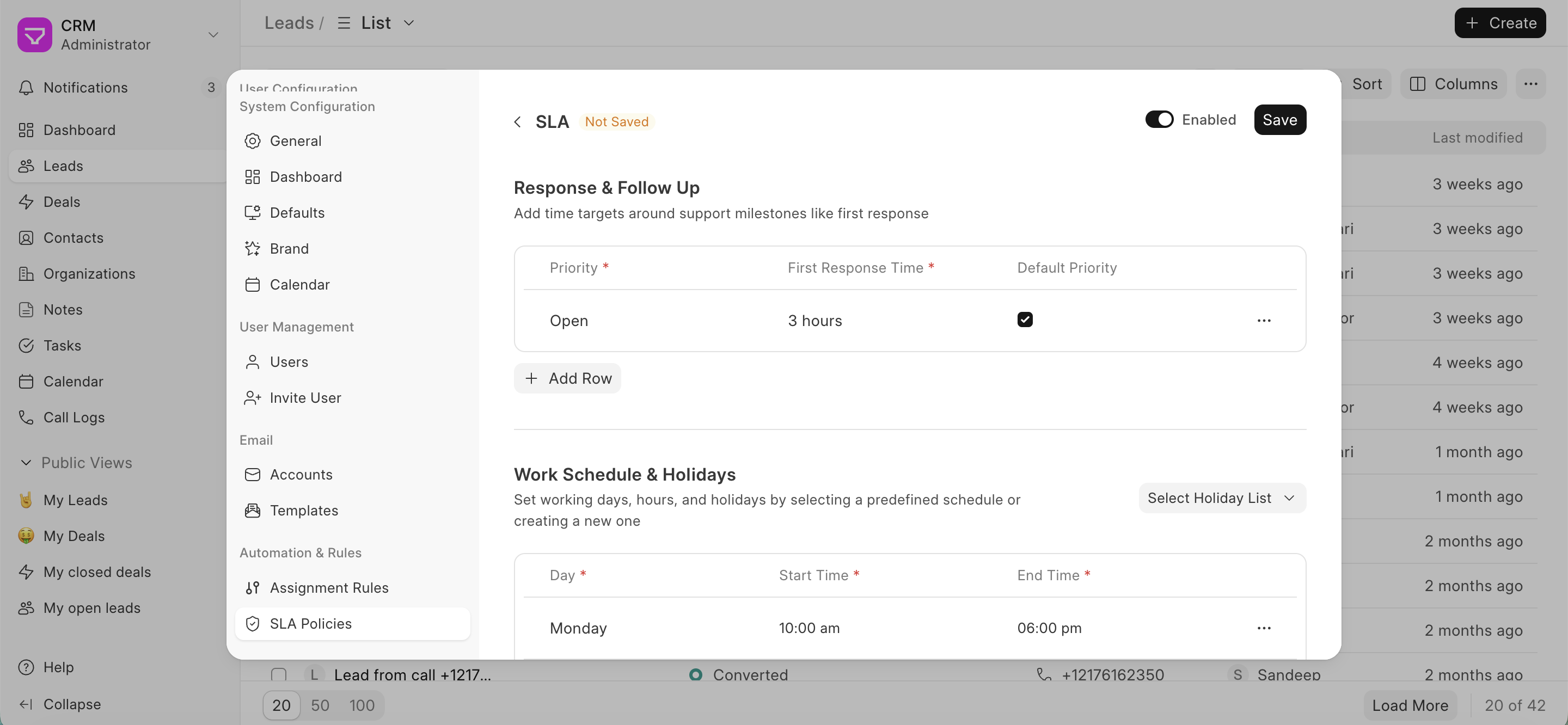
- Enable the SLA: Once you've configured the SLA details, ensure it's enabled.
Benefits of Using SLAs
SLAs offer several advantages for your sales team:
- Improved Response Times: By establishing clear response time goals, SLAs encourage prompt communication with potential and existing customers, leading to better engagement and conversion rates.
- Enhanced Customer Satisfaction: Timely responses demonstrate your commitment to customer service, fostering trust and positive client relationships.
- Streamlined Workflow: SLAs help prioritize communication tasks, ensuring your team focuses on the most critical leads and deals within designated timeframes.
- Performance Measurement: SLAs provide a benchmark for evaluating your team's responsiveness and identifying areas for improvement.
By effectively utilizing SLAs in Entropy CRM, you can empower your sales team to deliver exceptional customer service and achieve optimal sales performance.
Entropy CRM Documentation← Docs home